
How do I ensure good signal quality from DSI-Streamer?#
Use the DSI-Streamer application to verify electrode impedance and signal quality before starting your LSL stream or recording session.
Checking Signal Quality in DSI-Streamer#
Connect your headset and open DSI-Streamer. Enable the Diagnostic checkbox to display the signal quality metrics panel.
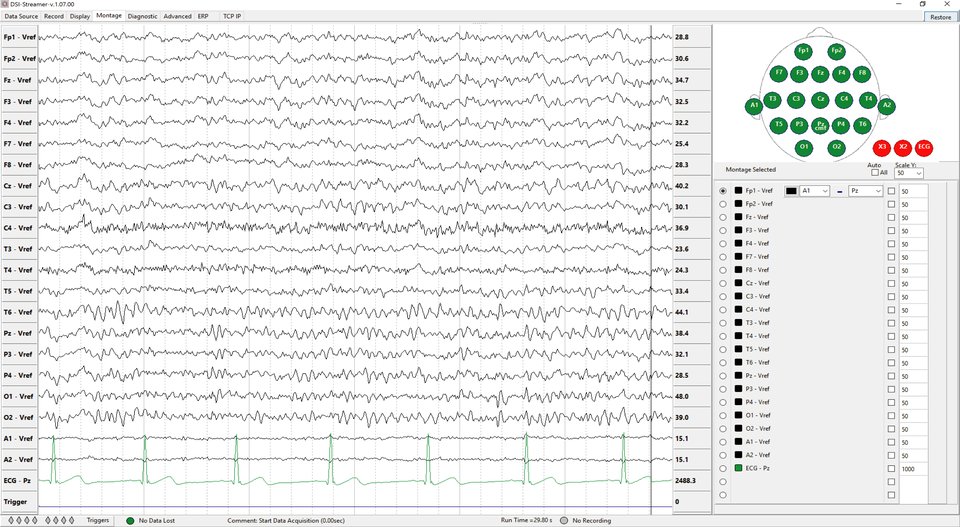
DSI-Streamer displaying live EEG and ECG signals#
With the Impedance checkbox enabled, DSI-Streamer injects a test signal into the data and reports impedance metrics for each electrode. Adjust each electrode’s contact with the scalp until all channels show green.
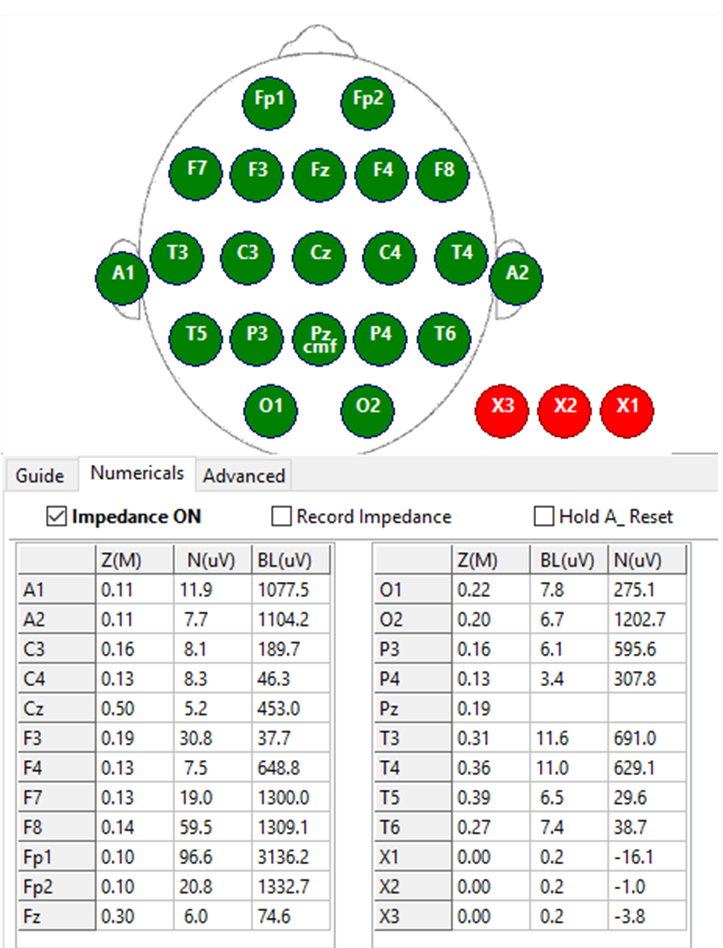
Signal quality metrics panel in DSI-Streamer — green indicates good electrode contact#
Impedance thresholds:
Impedance |
Rating |
|---|---|
< 1,000,000 Ω (1 MΩ) |
Good |
< 2,000,000 Ω (2 MΩ) |
Fair |
> 2,000,000 Ω (2 MΩ) |
Poor |
Target good (green) impedance on all channels before recording.
Tips for Good Signal Quality#
Check impedance before each session. Use the Impedance checkbox to inject a test signal and view per-channel metrics. Adjust electrode contact until all channels read below 1 MΩ.
Seat the cap correctly. Make sure each electrode is positioned over the correct scalp location and making firm contact with the skin.
Where to Go Next#
Getting Started with dsi2lslGUI — Stream EEG data over LSL after confirming signal quality
Hardware FAQ — Electrode maintenance, lifespan, and cleaning